IPTV in Canada
IPTV Canada: Your TV. Your Devices. Your Choice.
Bring live TV and on-demand viewing to a compatible device you already own. Compare Canadas IPTV plans by subscription length and simultaneous screens, with every price shown in Canadian dollars. Try it free for 24 hours on your own connection before choosing a paid plan.
- no ongoing contract, no automatic renewal
- Pay by bank transfer
- Try for free for 24 hours

1–4
Screens at the same time, per subscription
None
Ongoing contract or automatic renewal
24 hours
Free trial period
< 10 min
Installation on your device
Why Canadas IPTV
An IPTV Canada service built around your household
Clear plans. Upfront pricing.
Compare the full price for each plan, not just a monthly headline. Your selected term and screen allowance are shown together. Confirm the final CAD total and any applicable taxes before sending payment.
A free trial before you commit
Try Canadas IPTV free for 24 hours using the screen, app and internet connection you use every day. Check the available content and playback before deciding. No payment is required for the trial.
no ongoing contract, no automatic renewal
Pay once for your chosen subscription term. Your plan ends at the end of that term, without automatic renewal. If something is unclear, contact support before you order.
Pay by bank transfer
Order through our support team, receive the payment details by email and pay via bank transfer from your own bank. Immediately after you send us your proof of payment, you will receive your login details by email.
See how it works in your home
An at-home trial gives you a chance to check picture quality, navigation and playback on your own equipment. Take the time to test the programmes and features that matter to you.
English-language support
Support via support team and by email, in English, day and night (24/7) — including weekends.
IPTV subscriptions
Choose the IPTV Canada plan that fits your life
Choose one month for a shorter commitment, 12 months for a year of access, or 24 months for a lower effective monthly cost. Each plan is prepaid for its stated term, with no automatic renewal.
1 month
Flexible and without obligation
One-time payment of CA$15.99 no auto-renewal
- Live TV, sports, films and series
- Works with apps for Xtream Codes and M3U
- Smart TV, Firestick, phone, tablet and PC
- Pay by bank transfer
- no ongoing contract, no automatic renewal
12 months
One year, effectively 5.83 CAD per month
Total 69.99 CAD for 12 months
- Live TV, sports, films and series
- Works with apps for Xtream Codes and M3U
- Smart TV, Firestick, phone, tablet and PC
- Pay by bank transfer
- no ongoing contract, no automatic renewal
24 months
Lowest price per month
Effectively 4.17 CAD per month
Total 99.99 CAD for 24 months
- Live TV, sports, films and series
- Works with apps for Xtream Codes and M3U
- Smart TV, Firestick, phone, tablet and PC
- Pay by bank transfer
- no ongoing contract, no automatic renewal
Prices are in CAD; confirm the final total and applicable taxes before payment. You pay once for the chosen term — no automatic renewal.
Multi-screen subscriptions
More viewers. Separate screens. One household.
Choose a multi-screen plan when people in your household watch at the same time. Two, three and four-screen options give each viewer a separate simultaneous stream on a compatible device.
12 months
2 devices at the same time
For a couple or small household
Only 45.00 CAD per device per year
Total 89.99 CAD for 12 months, 2 devices
- Watch 2 devices at the same time, each with its own stream
- Live TV, sports, films and series
- Smart TV, Firestick, phone, tablet and PC
- Pay by bank transfer
- no ongoing contract, no automatic renewal
12 months
3 devices at the same time
For families with multiple viewers
Only 40.00 CAD per device per year
Total 119.99 CAD for 12 months, 3 devices
- Watch 3 devices simultaneously, each with its own stream
- Live TV, sports, films and series
- Smart TV, Firestick, phone, tablet and PC
- Pay by bank transfer
- no ongoing contract, no automatic renewal
12 months
4 devices simultaneously
For the entire household, each with their own screen
Only 37.50 CAD per device per year
Total 149.99 CAD for 12 months, 4 devices
- Watch 4 devices simultaneously, each with its own stream
- Live TV, sports, films and series
- Smart TV, Firestick, phone, tablet and PC
- Pay by bank transfer
- no ongoing contract, no automatic renewal
Prices are in CAD; confirm the final total and applicable taxes before payment. Each screen counts as one simultaneous stream; You can log in on more devices, but a maximum of the specified number can watch at the same time.
Channels and content
Explore live TV, sports, movies and series
Explore the main viewing categories before you choose. Check the current channel list, languages, sports coverage and on-demand availability during your trial; the specific programmes you want should be confirmed before payment.
 Popular
Sports
Check the current sports-channel selection during your trial. Confirm the leagues, events and languages you want before choosing your plan.

Movies on demand
Browse the available on-demand films in your player. Titles, audio languages and subtitles can vary, so check the selections you want during your trial.

Series and VOD
Explore the available series and seasons on demand. Catch-up is available only where supported by the channel and your player.
Children and family
Canadian and international children’s channels, with safe content for all ages.
Channels
Find the channels that matter to you
An IPTV subscription with Canadas IPTV includes live TV, sports and on-demand in one package. We mention categories here instead of a long list of names: you will see the current channel list after activation, also during your free test.
Canadian channels
The well-known public and commercial Canadian channels live, with a TV guide (EPG) so you can see what’s going on now and in the future. Missed a programme? With catch-up you can watch it later.
Live sports
Sports channels for football, car racing, tennis, martial arts and more. You will see the current channel list in your app after activation, so that you can see for yourself what is available during your free test.
Movies and series
Browse the available films and series whenever it suits your schedule. Check English or French audio and subtitle options title by title, and use pause and resume where your chosen player supports them.
Children’s channels and international channels
Children’s and family channels for all ages, plus international channels from other countries and languages.
Watch in an IPTV app
Live TV and on-demand, in a compatible player
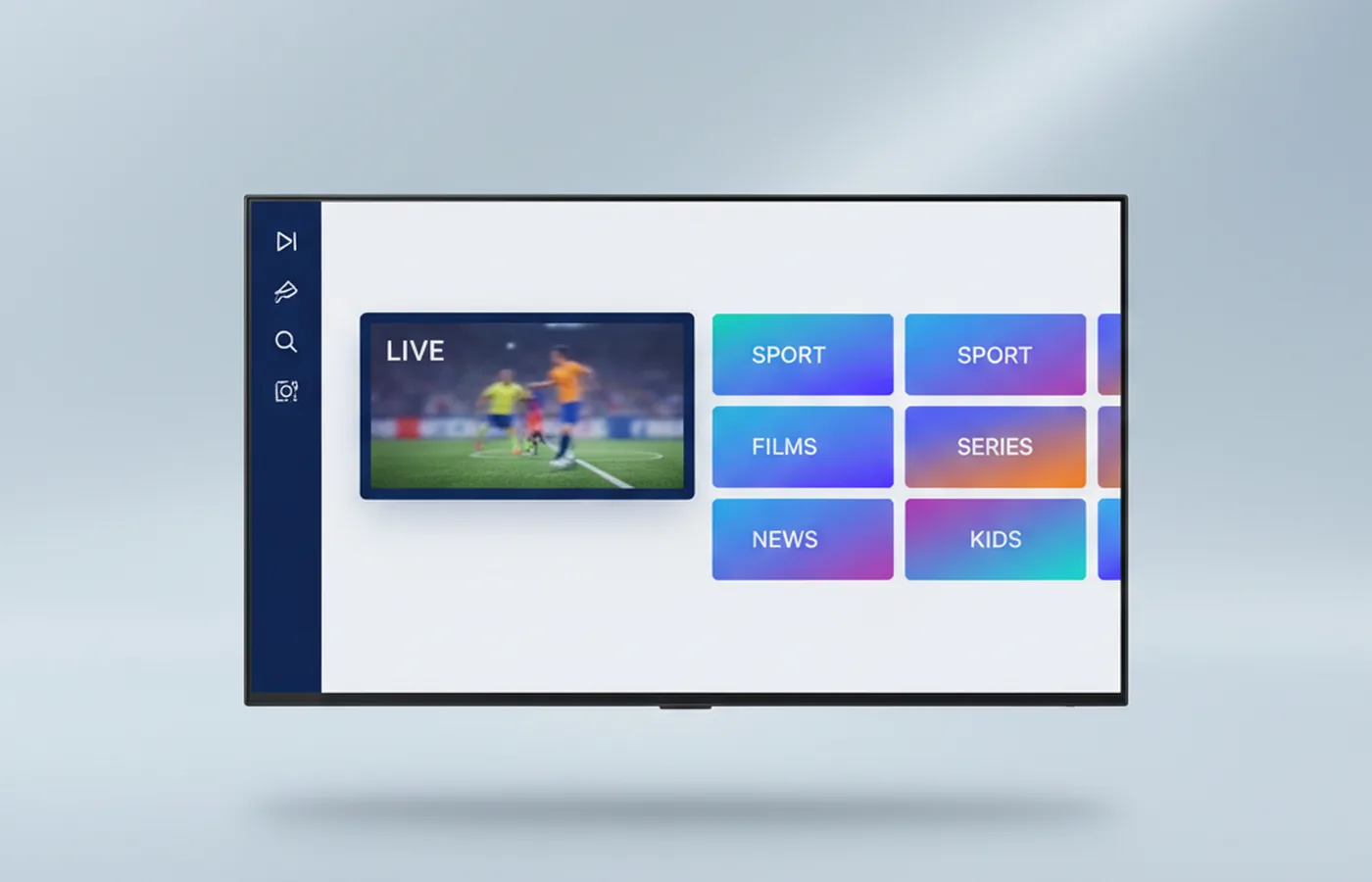
Access Canadas IPTV through a compatible player that supports the connection method provided with your account, such as Xtream Codes or M3U. The subscription and the player are separate products. The illustration shows an example interface; the actual layout depends on the app and version.
-
Live and on-demand in one app
In an app such as IPTV Smarters Pro or TiviMate, live TV, films and series are together. What the screen looks like depends on the app you choose.
-
Divided into categories
Channels and on-demand are divided into categories such as sports, films, series, children and news, so you can quickly find what you are looking for.
-
The same login details on your devices
You log in with the same details on Smart TV, Firestick, Android TV, iPhone or Android. How many devices can watch simultaneously depends on your subscription.
Compatible devices
Which devices can you use?
One of the practical advantages of IPTV is device freedom: no need for new hardware if you already have a modern device at home. You will find a step-by-step installation guide for each device.
An IPTV app from the built-in app store that supports Xtream Codes or M3U. Install the app and log in.
Installation guide
HDMI streaming stick for your TV. Install an IPTV app, log in and start watching.
Installation guide
Open platform with IPTV Smarters Pro, GSE Smart IPTV and complete flexibility.
Installation guide
Set-top box specially made for IPTV apps, for those who want a separate box with the TV.
Installation guide
An IPTV app from the App Store that supports Xtream Codes or M3U. Handy for on the road or as a second screen.
Installation guide
An IPTV player from the Play Store, such as IPTV Smarters Pro. Also works on tablets.
Installation guide
Classic Linux set-top box. You can read how to connect it in the installation manual.
Installation guide
Via an IPTV app from the App Store or with AirPlay from iPhone or iPad.
Installation guide
Compatible brands
Can be used on devices from many well-known brands


Brand logos are the property of their respective rights holders and are used solely to indicate device compatibility.
IPTV box
Do you need an IPTV streaming box?
Many viewers think that they first have to buy a box for IPTV. That is usually not necessary, but sometimes an IPTV box is the better choice. This way you determine what suits you.
Do you need an IPTV box?
Usually not. A recent one smart tv (Samsung, LG, Android TV) or a streaming stick such as the Firestick is enough: you install an IPTV app and log in. A loose one iptv box is especially useful if your TV is older, the app on your TV runs slowly or you want a faster zapping experience.
Which IPTV box do you choose?
Pay attention to one iptv box on three things: a current operating system (Android TV or Linux), at least 2 GB of RAM and a wired network port for a stable image. Popular choices are an Android TV box, a Formuler or a MAG box. A box with a "lifelong" subscription included is a red flag: the box is only the player, you arrange the IPTV subscription separately.
Buy and install an IPTV box
Do you already have a streaming box? If you can install an app that supports Xtream Codes or M3U, you can use Canadas IPTV on it. Read in our IPTV box buying guide which streaming box suits you, or follow the step-by-step explanation on the installation page. Are you unsure whether your streaming box is suitable? Test for free for 24 hours on your own box before you buy one IPTV subscription chooses.
How it works
Start watching in three simple steps
Choose your plan and request the payment details from support. Once your payment has been confirmed, you receive your account information and a link to the setup guide by email. You can use a compatible device you already own.
- 01
Choose your subscription
Select a monthly, annual or two-year subscription. Order through our support team and pay via bank transfer — everything is stated transparently before you confirm.
- 02
Receive your login details
After receiving your payment, you will receive your personal login details by email, including a step-by-step installation guide for your device.
- 03
Install and watch immediately
Install an app that supports Xtream Codes or M3U, such as IPTV Smarters Pro or TiviMate, on your Smart TV, Firestick, phone or tablet. Log in with your details and start watching.
Useful guides
Practical guides for IPTV in Canada
Need help choosing a player, deciding whether to buy a streaming box or fixing an interrupted stream? These guides explain the options in detail, with practical steps you can use on your own setup.
Which app do you use?
An IPTV app is just the player; the channels come from your subscription. Which player works best depends on the device. In our comparison of the best IPTV app per device you see what you choose for Smart TV, Firestick, iPhone and PC.
TiviMate on Android TV or Firestick
If you watch via Android TV or a Firestick, TiviMate is popular because of its clear TV guide. Read in the TiviMate installation guide how to add your playlist, set up the TV guide and add some Premium.
Would a streaming box help?
If your TV is older or the built-in app runs slowly, a separate streaming box can offer a solution. In the buying guide which IPTV box do you choose? read what to pay attention to and what to skip.
Having playback trouble?
Black screen, stuttering stream or an app that does not log in? Usually it is due to the connection, the app or the login details. Follow the step-by-step plan Resolve IPTV troubleshooting and often the problem is quickly resolved.
What is IPTV
What is IPTV, and how does it work in Canada?
IPTV — Internet Protocol Television — sends television signals over an IP data network instead of cable or satellite. Below you can read how it works, how it differs from cable and streaming services and what you need.
How does IPTV work?
When you open a channel via a iptv subscription, the server sends an encrypted video stream directly to your device. You only receive the stream you are currently watching, making data consumption more efficient than with a traditional broadcast signal that is always "on". You need an active internet connection of at least 25 Mbit/s for Full HD, 50 Mbit/s for 4K.
How does IPTV differ from cable TV?
Cable and fibre-optic providers supply television via their own network, with their own decoder or app, package format and conditions. With IPTV you disconnect your television from your internet provider. You use the network that you already pay for and choose your IPTV provider, device and subscription length.
How does IPTV differ from a streaming service?
Streaming services for films and series are pure video-on-demand services: a library of films and series that you play on demand. Live TV channels and watching regular TV programmes are usually not included. One iptv subscription can combine live channels with on-demand categories. Compare the actual programmes and features in each offer rather than assuming every streaming service has the same content.
What do you need to get started?
A stable internet connection, a compatible device (Smart TV, Firestick, Android TV, iPhone, MAG box or similar) and an account with a reliable IPTV provider (here’s how to choose one). After activation, install the app, log in with your details and choose your first channel. On a Firestick or Android TV that is a matter of minutes. Ready to buy IPTV? Read first how to order safely or starts with a 24-hour free trial.
Comparison
Compare the details that matter
Use the same questions for every provider. The left column describes Canadas IPTV; the right column is a checklist you can use to investigate other offers. This comparison is published by Canadas IPTV, not an independent market ranking.
Criterion
Price (12 months)
Canadas IPTV
Check with each provider
What does 12 months cost in total, CAD; final total and applicable taxes confirmed before payment?
Criterion
Free trial period
Canadas IPTV
Check with each provider
Can you test without payment details?
Criterion
Contract
Canadas IPTV
Check with each provider
Does the subscription continue automatically?
Criterion
English-language support
Canadas IPTV
Check with each provider
When and how do you reach support?
Canadas IPTV publishes this page and sells IPTV subscriptions itself. The right column is not a measurement of other providers: these are the questions that you can check for each provider yourself.
Choose your next step
A useful guide for every stage
Four pages that help you at every stage: price comparison if you are unsure about the term, a buying guide if you are ready to pay, and the comparison criteria and a comparison of IPTV providers if you are still unsure.
IPTV subscription: durations and prices
Compare monthly, annual and two-year subscriptions — including the effective monthly price and when which term is financially smart.
View page Buying guideOrder and pay for IPTV securely
This is how you buy IPTV from Canadas IPTV: choose the term, order via support team, pay via bank transfer and what happens after your payment.
View page CriteriaBest IPTV Canada 2026
Compare the details that matter: price CAD; final total and applicable taxes confirmed before payment, trial period, conditions, payment method and support.
View page ComparisonCompare IPTV providers
Compare IPTV providers in Canada on seven fixed criteria: price, trial period, contract, payment method, devices, screens and support.
View pageKnowledge base
Your IPTV Canada knowledge centre
Practical explanations of what is and is not allowed, how to get the most out of your connection and how to set up apps and devices — written for Canadian viewers.
 Guide
What will an IPTV subscription cost in 2026?
What does an IPTV subscription cost per month and per year? This way you calculate the monthly price, choose a term and recognize additional costs, with the current prices of Canadas IPTV.
Read article Troubleshooting
IPTV Buffer? This is how you solve it
IPTV keeps buffering? Discover 10 concrete solutions for a stable connection — from internet speed and DNS to VPN impact. Solve it now.
Read articleExperiences
Make your own informed assessment
Looking for reviews before choosing an IPTV provider? Read recent independent feedback and compare it with the results of your own trial. Pay attention to the reviewer’s device, location and date, since those details affect the experience.
No self-written reviews
We do not publish invented customer testimonials or unsupported customer counters. For independent feedback, read recent reviews and Canadian user discussions, and pay attention to how providers respond when customers report a problem.
Try it on your own screen
The most reliable review is your own test. With the free trial period you can watch 24 hours on your own device and internet connection, without payment. This way you know exactly how image quality, channel-switching speed and stability will work out in your home before you buy IPTV.
Frequently asked questions
Your IPTV Canada questions, answered
Have another question? Contact our English-language support team and include the details of your device and setup.
Send a questionWhat is the best IPTV provider in Canada?
Is Canadas IPTV reliable?
What exactly is IPTV?
Is IPTV legal in Canada?
What is the difference between IPTV and a streaming service?
What is the difference between IPTV and cable TV?
Does Canadas IPTV offer a free trial?
What if I’m not satisfied?
How can I pay?
What devices does Canadas IPTV work on?
How long does the installation take?
Do I need a VPN?
What is the difference between the subscriptions?
Secure payment
Easy payment via your own bank
Order through our support team, receive payment details by email and pay via bank transfer — without hidden costs.
Find your next IPTV Canada plan
Try Canadas IPTV free for 24 hours before choosing your next plan. Compare the available programmes and playback on your own device, review the full CAD price and select the subscription length that suits your household.
No payment required · Try 24 hours
A PRACTICAL CHECKLIST
Start with the way your household watches
Start with your household: does everyone watch one television together, or do several people stream at once? Choose the simultaneous-screen allowance you actually need. Signing in on another device is different from playing a second stream at the same time.
Use your trial at the times you normally watch. Test the channels you care about on the same player, screen and network you plan to use after subscribing. A good result on a phone does not automatically tell you how the television will perform.
Before sending payment, confirm the full CAD total, applicable taxes, subscription end date and renewal terms. Your internet connection, hardware and any player licence are separate costs. Ask support about the content and conditions you need to confirm.